
Video creative
First-Frame Video Hooks for TikTok, Reels, and Shorts
Learn how to design clearer first-frame video hooks, turn one idea into useful creative variations, and test short-form videos without relying on clickbait or guesswork.
By MillsGuild Editorial ·
First-Frame Video Hooks for TikTok, Reels, and Shorts
A first frame has one practical job: help the right viewer understand why a video may deserve another moment of attention.
That does not require a shocked face, a vague promise, or oversized text declaring that nobody is talking about this. A clearer opening usually comes from making a quick visual decision: What is happening? Who is it for? What might the viewer learn, see, or resolve?
For creators and small teams, refining this opening can be more manageable than rebuilding an entire video strategy. You can develop several first-frame concepts from the same core idea, keep much of the video stable, and compare the results over time.
This guide explains how to create first-frame video hooks for TikTok, Instagram Reels, and YouTube Shorts without leaning on empty clickbait or unsupported performance promises.
What is a first-frame video hook?
The first frame is the initial visible composition of a short-form video. It can include:
- The subject or person on screen
- A product, interface, process, or result
- A short text overlay
- A visual contrast or unexpected action
- The opening spoken line, once playback begins
The literal first frame and the broader opening hook are not identical. A strong still image can be weakened by a slow or confusing opening line. A useful spoken hook may also struggle if the opening visual seems unrelated.
Treat the first frame as part of an opening system:
- Visual: What does the viewer see?
- Text: What context can they understand quickly?
- Audio: What does the opening line add?
- Continuity: Does the next shot begin delivering what the opening suggested?
The five qualities of a useful first frame
1. It identifies a relevant situation
Broad language may apply to more people, but it often communicates less.
Compare these two openings:
- “You need to see this marketing trick.”
- “Still writing every product caption from scratch?”
The second version identifies a recognizable task. A viewer who has that problem can decide more quickly whether the video is relevant to them.
Specificity can come from a role, task, constraint, object, or desired result:
- “A faster way to outline client videos”
- “Before you automate your weekly posts”
- “Why this product demo feels confusing”
- “Turn one customer question into a video idea”
The aim is not to address everyone. It is to help an appropriate viewer recognize the situation.
2. The visual carries information
Text should not have to rescue an unrelated opening shot.
If the video is about improving a product demonstration, show the product, the demonstration, or the problem with the original version. If it explains a content workflow, show the workflow, source document, calendar, or finished asset.
A relevant visual can provide context before the viewer has processed the caption or spoken line. Consider this a design choice to test.
For example, a local bakery explaining custom order mistakes could open with two cakes labeled “reference photo” and “final brief.” That composition introduces the comparison directly. A generic shot of the storefront would communicate less about the specific topic.
3. The text is easy to process
A first-frame caption can work as a label, promise, question, or point of tension. It does not need to summarize the whole video.
Useful patterns include:
- “Why your demo loses the point”
- “The brief was missing this”
- “From one FAQ to a week of ideas”
- “Do not automate this step yet”
- “What the cheaper option leaves out”
Avoid stacking a headline, subtitle, logo, call to action, username, and decorative labels into the same opening. When every element competes for attention, the viewer has less obvious context about where to look. Preview the finished export in the destination app because interface elements and display conditions can vary.
4. It creates honest tension
Tension gives someone a reason to continue. Deception can damage trust with the people who do continue.
You can create honest tension with:
- A visible before-and-after comparison
- A common mistake and its consequence
- A result followed by an explanation
- Two plausible options with an important difference
- A familiar process approached in a new way
- A question the video genuinely answers
Avoid implying that the video contains a secret when it offers a routine tip. Do not promise guaranteed revenue, reach, or virality. The opening should represent the value the full video actually provides.
5. It leads smoothly into proof
A hook is part of the video, not a separate decoration. The next section should begin supporting the opening idea.
If the first frame says, “This AI clip looks polished but gets the product wrong,” the next scene can show the error. If it says, “Three fields improved this creative brief,” the video can identify those fields without a long detour.
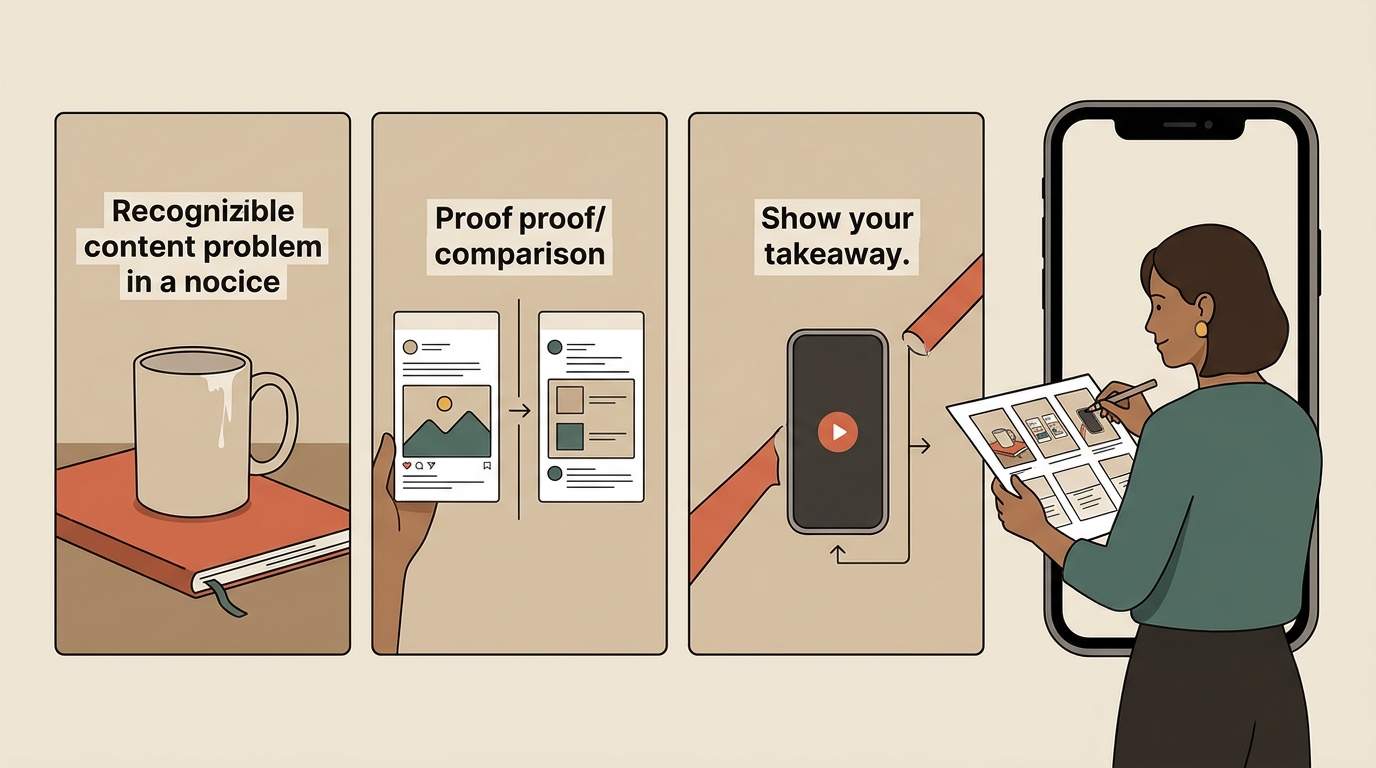
A simple structure is:
- Hook: Name the problem, outcome, or comparison.
- Proof: Show the example, process, or evidence.
- Payoff: Explain the lesson or next action.
This keeps the opening connected to the substance of the video.
First-frame hook formulas with examples
Formulas are starting points. Adapt them to the actual footage and takeaway.
Show the result first
Formula: “This is what happened when we changed [specific input].”
Possible visual: A finished asset beside the original version.
Example for a service business:
“Same offer, clearer opening.”
The rest of the video can explain what changed and why the new version may be easier to understand.
Diagnose a recognizable mistake
Formula: “If [undesired result] keeps happening, check [specific element].”
Example for a creator:
“If your tutorial feels slow, inspect the opening shot.”
The video should then show the slow version and a revised alternative.
Start with a real object or process
Formula: Show the task while naming the friction.
Example for a retailer:
“Why customers keep asking which size to buy.”
The opening visual might show two similar products, a confusing size chart, or the question appearing in customer messages.
Make the comparison visible
Formula: “[Option A] versus [Option B] for [specific use].”
Example for an AI video workflow:
“Generic prompt versus product-specific brief.”
Both outputs should appear early enough that the comparison feels concrete rather than theoretical.
Challenge a default assumption
Formula: “You may not need [common step] before [goal].”
Example:
“You may not need more video ideas. You may need better angles.”
Use this only when the video can explain the distinction. Contrarian wording is not a substitute for evidence or a useful example.
Reveal a useful constraint
Formula: “Create [asset] using only [available input].”
Example:
“Build a product video from one customer question.”
The constraint gives the viewer a concrete way into the topic, especially when time or source material is limited.
Weak hooks and practical revisions
Weak: “Here are some social media tips”
This is too broad to communicate the video's value.
Revision: “Your opening shot does not match your tutorial.”
The revision identifies the element being examined and introduces a specific problem.
Weak: “Wait until you see the end”
This withholds context instead of establishing relevance.
Revision: “Watch this product description become a video brief.”
Now the viewer knows what transformation the video will demonstrate.
Weak: “This tool changes everything”
The statement is vague and difficult to support.
Revision: “This workflow turns approved research into a video outline.”
The revised hook describes a bounded task rather than making an inflated claim.
Weak: A logo animation before the subject
A logo may establish identity, but it usually does not explain the video's purpose. Test its placement against the video's communication goal.
Revision: Open with the problem, result, or process. Keep branding present but secondary when the subject carries the main promise, unless brand recognition is central to the video.
Should the first frame show a face?
A face can be useful when expression, authority, personality, or direct explanation matters. It is not mandatory.
A product demonstration may benefit more from showing the product. A design tutorial may need the interface. A restaurant video might begin with the finished dish or a distinctive preparation step. A consultant responding to a nuanced question may prefer direct-to-camera delivery.
Choose the visual based on the video's promise and available footage. No opening subject is universally best across TikTok, Reels, or Shorts.
If you do use a face, give the frame additional context. A person looking into the camera with the text “You need this” says little. The same person holding a confusing invoice with the text “Check this before approving ad spend” establishes a situation.
How to create hook variations with AI
AI can help generate options, but a larger list does not automatically produce a better hook. The model needs enough context to create meaningful differences.
Include these inputs in your prompt:
- The intended viewer
- The problem or task
- The video's actual takeaway
- The visual assets available
- Claims that must be avoided
- The preferred tone
- The action you want after viewing
Here is a reusable prompt:
Create several first-frame concepts for a short-form video aimed at [audience]. The video explains [specific takeaway]. Available visuals include [assets]. For each concept, provide a first-frame visual, a brief text overlay, an opening spoken line, and the transition into proof. Keep the language specific and low-hype. Do not promise views, revenue, rankings, or guaranteed results. Make each concept meaningfully different rather than rewriting the same sentence.
Review the results for repetition and unsupported claims. AI tools may produce several grammatical variations of one idea instead of distinct creative angles.
A balanced set could include:
- A problem-recognition version
- A demonstration-led version
- A comparison version
- A result-first version
- A question based on a real customer concern
Each variation should change the viewer's entry point into the topic. Swapping a few words is rarely enough.
A controlled way to test first frames
Changing the hook, script, music, duration, caption, and call to action at the same time makes the result harder to interpret. The workflow below helps isolate what you want to learn.
- Choose one finished video concept.
- Create distinct opening frames for the same core content.
- Keep the main explanation and offer as consistent as practical.
- Define what you want to learn before publishing.
- Compare the viewing and response signals available to your account.
- Record the audience, hook type, visual treatment, topic, and result.
- Use the finding to shape the next set of creative options.
A single post rarely establishes a universal rule. Topic interest, distribution, timing, audience fit, and execution can all affect the result. Look for patterns across reasonably comparable posts before treating a finding as useful guidance.
Separate attention from business value. An opening that attracts more viewing may still draw the wrong audience. Comments, profile activity, qualified inquiries, saves, clicks, or other relevant actions may provide additional context, depending on the video's goal and the data available to you.
Cross-platform reuse without blind duplication
A core hook idea can often be adapted for TikTok, Reels, and Shorts. That does not mean one exported file will be equally clear in every destination.
Before publishing, check:
- Whether the key subject is visible in the opening composition
- Whether text is legible and unobstructed in the final preview
- Whether the spoken opening makes sense without extra context
- Whether the caption and call to action fit the specific post
- Whether the video contains unsupported claims or outdated details
- Whether the hook accurately describes the payoff
Start with a transferable idea, then adjust the presentation when the final preview, audience context, or post requirements call for it.
Common automation mistakes
Generating hooks before defining the audience
Without a clear audience, AI tends to produce broad openings such as “Want to level up your content?” Give it a role, problem, and situation instead.
Treating every variation as publishable
Generated hooks can overstate results, introduce unsupported facts, or drift away from the video. Human review remains necessary.
Automating production without preserving the promise
A hook may change during revisions while the body remains untouched. Check that the finished video still answers the opening question or demonstrates the stated result.
Choosing the most dramatic option
The most dramatic line is not always the most useful. Prefer the concept that attracts an appropriate viewer and sets up the video's real value.
Failing to document what changed
If a team cannot identify which visual, phrase, or angle was tested, it cannot turn publishing activity into a learning process. Keep a simple creative log, even when production and scheduling are automated.
A practical first-frame checklist
Before approving a short-form video, ask:
- Can the intended viewer recognize the topic quickly?
- Does the opening visual relate directly to the message?
- Is the text concise enough to process without crowding the frame?
- Does the spoken line add information rather than repeat everything?
- Is the promise accurate?
- Does the next scene begin providing proof?
- Are claims supported and current?
- Has the final version been previewed for its destination?
- Do we know what this variation is intended to test?
If the opening fails the checklist, simplify it. One clear problem and one relevant visual may be more useful than several competing ideas.
Build hooks as part of the workflow
First-frame development is easier to manage when it is included in the brief instead of postponed until the end of editing. Connect each concept to available footage and decide how the version will be evaluated.
MakersGateway supports connected workflows for researching, creating, reviewing, organizing, and learning from content, including short-form video creation and Growth recommendations. Review the product's current capabilities and all AI-generated material before publishing.
Start creating with MakersGateway.
Results vary. AI-generated recommendations and content should be reviewed before publishing.
Frequently asked questions
What counts as the first frame of a video?
It is the first visible composition a viewer encounters. For planning purposes, evaluate it together with the opening text, spoken line, and transition into the main content.
Is the first-frame hook the same as the opening line?
No. The first frame is visual, while the opening line is spoken or written language delivered as playback begins. They should support the same idea without unnecessarily repeating each other.
Should every short video use text in the first frame?
No. Text is useful when the visual needs context, but a clear demonstration or recognizable result may communicate the idea without it. Add text when it improves understanding, not simply because it appears in a template.
Should a business put its logo in the opening frame?
Branding can be present, but it should not crowd out the video's subject. Treat logo placement as a creative test. If the logo delays or obscures the useful part of the opening, consider a smaller treatment or later placement.
Can the same hook be used on TikTok, Reels, and Shorts?
The core concept can often be reused. Review the final presentation for each destination and adjust the composition, text, caption, or call to action when necessary.
Can AI create effective video hooks automatically?
AI can generate concepts and variations, but effectiveness depends on audience fit, accurate context, execution, and review. Generated claims and recommendations should be checked before publishing.
Sources
- MakersGateway, official product and workflow information. This source supports the product description only. The creative guidance in this article is presented as practical editorial advice, not as a verified claim about platform ranking, viewer behavior, or guaranteed performance.